
 By MADE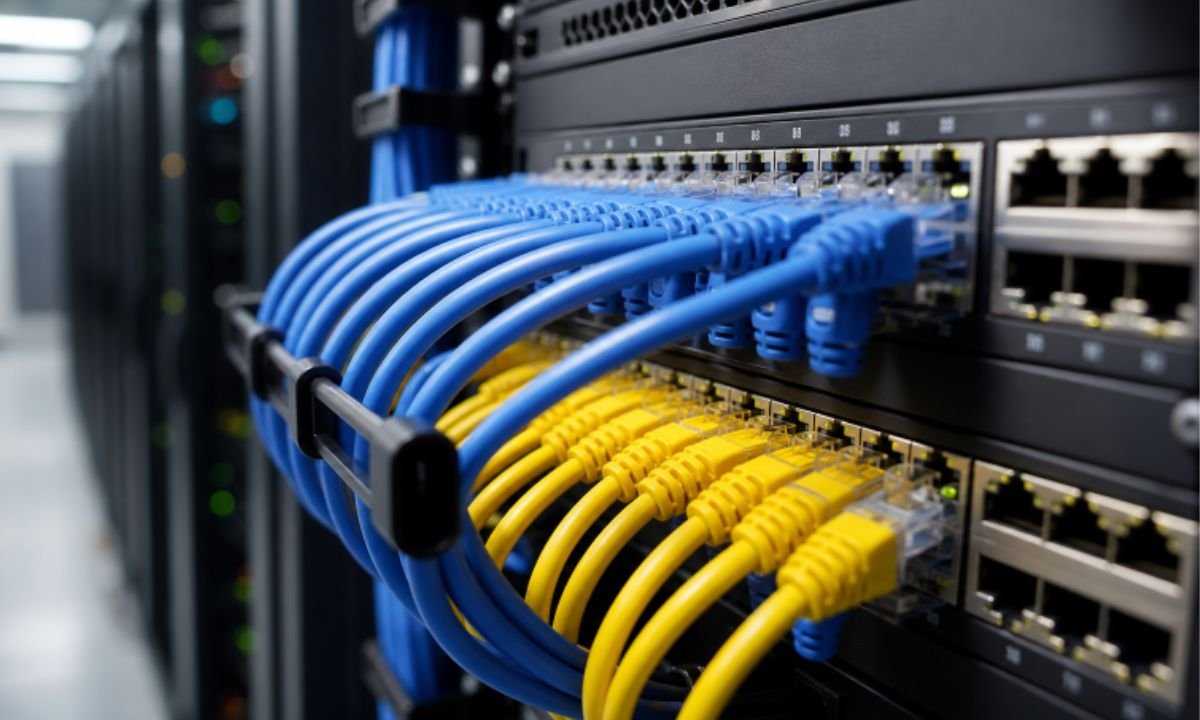
For Murfreesboro businesses, a dependable server room starts with a layout that supports daily operations as well as future changes. Whether the space serves a medical office, school, warehouse, professional firm, or growing local business, equipment, cabling, power, cooling, and technician access should be planned as one connected system. Organizations evaluating rack systems Murfreesboro can review LanLink Communications, a Murfreesboro-based communications company whose rack-system services include installation, testing, cable documentation, and computer-generated layouts for clients in Murfreesboro and the Greater Nashville area.
A server room does not need to be large to be orderly and serviceable. It does need clear pathways, enough working room, a sensible equipment plan, and records that help IT staff identify connections without guesswork. Those basics can reduce the disruption caused by routine moves, additions, repairs, and equipment replacements.
1. Why Server Room Layout Matters
A server room is a dedicated space for continuously operating servers and related network equipment. A useful server room overview also highlights design considerations such as cooling, room location, security, maintenance access, and future expansion. In practical terms, a crowded rack can turn a simple switch replacement into a lengthy task when ports, patch panels, and power connections are difficult to see or reach.
Consider an office that adds switches, wireless access points, cameras, and new workstations over several years without revising its rack plan. Patch cords accumulate, unlabeled cables remain in place, and new equipment gets mounted wherever there is room. The network may still function, but servicing it becomes slower, and the risk of unplugging the wrong connection increases.
2. Start With An Equipment Inventory
Choose the rack after documenting what it must hold. List current equipment and anticipated additions, including servers, switches, routers, firewalls, patch panels, fiber enclosures, wireless controllers, uninterruptible power supplies, power distribution units, shelves, rails, blanking panels, and cable managers.
For each item, record its rack height, depth, weight, power draw, port count, mounting requirements, and cooling direction. This inventory helps reveal problems before installation, such as a cabinet that is too shallow, a wall mount that cannot support the load, or insufficient rack units for cable management and future devices.
3. Choose The Right Rack Type
- Open-frame racks provide easy access and broad ventilation in a controlled equipment room.
- Enclosed cabinets can provide more physical protection and controlled access.
- Wall-mounted racks can suit light network equipment in smaller closets.
- Floor-standing cabinets are often better for deeper, heavier, or expanding equipment groups.
Before selecting a model, measure floor space, ceiling height, door swing, delivery access, available front and rear service clearance, equipment depth, and load limits. A rack should support maintenance work without forcing technicians to work around walls, furniture, or stored supplies.
4. Plan Airflow Before Installation
Many servers and network devices move air from front to back. Keep intake areas clear, avoid placing racks so exhaust air is pulled back toward equipment intakes, and use blanking panels to close unused rack openings where appropriate. Loose patch cords should not cover vents or block the front of active equipment.
For rooms with multiple racks, arrange equipment so intake and exhaust paths are considered before devices are installed. Recent reporting on cooling demands for server racks reflects why thermal planning is receiving increased attention as computing equipment becomes denser. Even a small business server room benefits from regular temperature and humidity checks, especially during warm Middle Tennessee weather.
5. Route And Label Cables With Care
Cable management is an operational practice, not a cosmetic upgrade. Organized routes make it easier to trace a connection, replace a patch cord, or add a device without disturbing nearby services.
- Separate power and data pathways when the installation design calls for it.
- Use horizontal and vertical managers to guide patch cords.
- Protect fiber from tight bends, crushing, and unnecessary tension.
- Keep service loops controlled and easy to identify.
- Label both ends of each cable to match the rack diagram and patch-panel numbering.
- Remove abandoned, damaged, or excessively long cords.
6. Leave Room For Future Growth
A rack that is full on installation day leaves few good options when the business adds a switch, fiber connection, camera recorder, backup appliance, or new wireless infrastructure. Reserve open rack units, extra pathway capacity, and workable slack in cable managers. Also, confirm that the room can handle additional electrical load and heat before purchasing new equipment.
7. Document The Finished System
Complete documentation during installation, while cable routes and device locations are known. Keep rack elevation drawings, patch-panel port maps, cable destinations, switch and firewall locations, power-source details, fiber routes, final photos, and a change history in a location available to the IT team. Accurate records are particularly valuable during an outage, relocation, or renovation.
8. Use A Final Review Checklist
- Are all devices secured and rack units identified?
- Are cables labeled at both ends?
- Can technicians access the front and rear of the equipment?
- Are power and data cables routed in a controlled manner?
- Are unused ports, openings, and abandoned cables addressed?
- Is the cooling path free of major obstructions?
- Are diagrams and photos stored where authorized staff can find them?
- Is space available for planned equipment changes?
9. Common Server Room Questions
How Much Space Should Be Left In A Rack?
The right amount depends on equipment size, ventilation requirements, service access, and expected growth. Avoid filling every available rack unit if new equipment is likely.
Are Open Racks Better Than Enclosed Cabinets?
Neither option is automatically better. Open racks emphasize access and ventilation, while enclosed cabinets can support protection and access control. The room, equipment, and security needs should determine the choice.
How Often Should Rack Cables Be Checked?
Inspect cables during scheduled maintenance and after major equipment changes. Look for loose connectors, unclear labels, damaged cords, blocked airflow, and connections that no longer serve a purpose.
Why Do Rack Diagrams Matter?
Rack diagrams reduce uncertainty. They help technicians identify equipment, trace connections, plan modifications, and respond more efficiently when service is interrupted.
Conclusion
A reliable Murfreesboro server room is built through thoughtful planning rather than expensive hardware alone. A clear layout, sensible rack selection, organized cabling, protected airflow, documented connections, and room for growth create a space that is easier to maintain and better prepared for change.